As modern video games continue to push graphical boundaries and expand into vast open worlds, their file sizes have grown astronomically, often exceeding 100GB per title. This ever-increasing demand quickly fills up even generous internal storage, leaving many gamers facing the frustrating choice of deleting old favorites to make room for new adventures. This is where an external gaming hard drive becomes an indispensable tool, offering a solution to expand your storage, improve game loading times, and even boost your gaming portability.
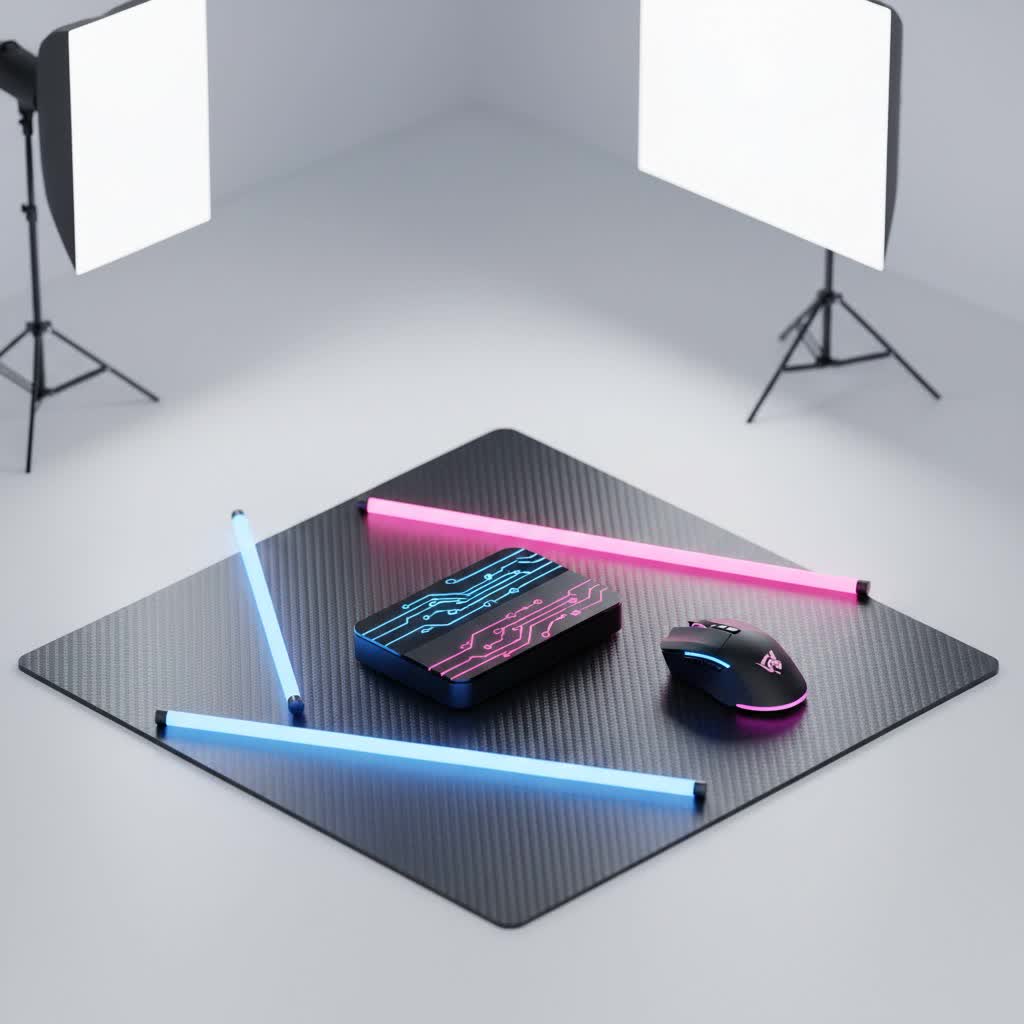
Whether you’re a casual player with a modest game library or a hardcore enthusiast juggling dozens of AAA titles, selecting the right external drive can significantly enhance your experience. But with a myriad of options, from traditional Hard Disk Drives (HDDs) to lightning-fast Solid State Drives (SSDs), understanding what makes an external drive truly “gaming-ready” is key.
What is an External Gaming Hard Drive?
An external gaming hard drive is a dedicated storage device that connects to your PC or console, providing additional space for your game library and other media. Unlike internal drives, these units are designed for easy portability and plug-and-play functionality. They come in two primary technologies:
- HDD (Hard Disk Drive): These traditional drives use spinning platters and read/write heads to store data. They are known for their high capacity and lower cost per gigabyte.
- SSD (Solid State Drive): SSDs store data on flash memory chips, offering significantly faster speeds, greater durability, and a more compact form factor.
The primary function of an external gaming hard drive is to prevent you from constantly running out of space on your primary gaming system. By offloading games onto an external drive, you free up valuable internal storage for your operating system and essential applications, ensuring your system runs smoothly.
Why Every Gamer Needs an External Drive
Running out of storage mid-download or being forced to uninstall beloved games is a universal gamer nightmare. An external hard drive offers several compelling benefits:
- Expand Storage Capacity: Modern games like Cyberpunk 2077 can easily take up over 100GB, with some titles and their DLCs exceeding 200GB. External drives provide terabytes of additional space, allowing you to build and maintain a massive game collection without compromise.
- Improve Game Loading Speeds: Especially with SSDs, external drives can drastically cut down on loading screens, allowing you to jump into action faster and experience smoother transitions between game areas.
- Gaming Portability: For gamers on the go, an external drive transforms your game library into a portable powerhouse. Simply plug it into a compatible PC or console at a friend’s house or during travel, and your favorite titles are ready to play.
- Data Backup and Organization: Beyond games, these drives are excellent for backing up important saves, screenshots, video clips, and other media, protecting your digital life from unexpected system failures. They also help keep your primary drive clutter-free.
Classifying External Gaming Drives
External drives are primarily categorized by their underlying technology and physical size:
- By Technology:
- HDD (Hard Disk Drive): More affordable, higher capacities (up to 16TB), but slower speeds. Ideal for storing older titles or less demanding games.
- SSD (Solid State Drive): Significantly faster (up to 7,000MB/s for NVMe, 2,000MB/s for external gaming SSDs), more durable, quieter, and more power-efficient. Pricier but essential for smooth performance in new, graphically intensive games.
- By Form Factor (primarily HDDs):
- 2.5-inch Drives: Compact and portable, often bus-powered (no external power adapter needed). Commonly found in external HDDs and all external SSDs.
- 3.5-inch Drives: Larger, typically offering higher capacities but requiring an external power supply. Less portable, usually meant for desktop use.
HDD vs. SSD: Which is Better for Gaming?
This is a critical decision that impacts performance and budget. Here’s a detailed comparison:
| Feature | External HDD (Hard Disk Drive) | External SSD (Solid State Drive) |
|---|---|---|
| Speed | Slower (typically 100-200 MB/s sequential read/write). Can lead to long load times, slower game updates, and potential in-game stuttering. | Significantly faster (e.g., 1,000 MB/s to 2,000 MB/s for external gaming SSDs, NVMe up to 7,000 MB/s). Drastically reduces loading times and ensures smoother gameplay. |
| Cost | Lower cost per gigabyte, making large capacities more affordable. | Higher cost per gigabyte, though prices have become more competitive. |
| Durability | Less durable due to moving mechanical parts (spinning platters, read/write heads). More susceptible to shock and vibration damage. | Highly durable with no moving parts. Excellent shock resistance. |
| Noise | Can produce audible whirring or clicking sounds due to moving parts. | Silent operation. |
| Power Needs | Some high-capacity 3.5-inch models require external power. 2.5-inch models are usually bus-powered. | Typically bus-powered (draws power directly from the connected device). Less power-intensive than HDDs. |
| Portability | Generally larger and heavier than SSDs, though 2.5-inch models are still portable. | Very compact and lightweight, often pocket-sized. |
| Ideal Use | Storing a vast library of older games, less graphically demanding titles, or general media where load times are not a primary concern. | Running modern AAA games directly, competitive online gaming, quick file transfers, and editing high-resolution media. |
In short, for optimal gaming performance, an external SSD is almost always the superior choice, particularly for new, demanding titles. However, if budget is a major constraint and you primarily need bulk storage for less performance-critical games, an HDD remains a viable, cost-effective option.
Essential Criteria for Choosing an External Gaming Drive
Selecting the perfect external drive requires careful consideration of several factors:
- Dung lượng (Capacity): How much space do you need?
- 1-2TB: Sufficient for casual gamers with a smaller game library.
- 4TB+: Recommended for avid gamers or those with extensive game collections and large media files. Always factor in future game installations and system cache requirements.
- Tốc độ (Speed): This directly impacts game loading times and overall responsiveness.
- SSDs are paramount for speed. Look for sequential read/write speeds of at least 500 MB/s, with high-end gaming SSDs offering 1,000 MB/s to 2,000 MB/s.
- Even the fastest HDDs (around 160MB/s) are significantly slower than SSDs.
- Kết nối (Connectivity): The interface type dictates data transfer rates.
- USB 3.0 (USB 3.2 Gen 1): A minimum for decent speeds (up to 5 Gbps).
- USB 3.1 (USB 3.2 Gen 2): Offers faster speeds (up to 10 Gbps).
- USB-C & USB 3.2 Gen 2×2: Provides even faster speeds (up to 20 Gbps), ideal for high-performance external SSDs.
- Thunderbolt 3/4/5: The fastest consumer connection (up to 40 Gbps for Thunderbolt 4/5), offering top-tier performance but requiring compatible devices.
- Độ bền (Durability): If you plan to travel with your drive, look for robust designs.
- SSDs are inherently more durable due to their solid-state nature.
- Some external drives feature rugged casings, IP-rated water and dust resistance, and shock protection, like the Samsung T7 Shield.
- Thương hiệu (Brand): Reputable brands typically offer better quality, reliability, and customer support.
- Top brands: Western Digital (WD_Black series), Seagate (FireCuda Gaming series), Samsung (T-series), SanDisk, Crucial.
- Giá (Price): Balance your performance and capacity needs with your budget.
- SSDs are generally more expensive, but prices have become more competitive. HDDs offer the best cost-per-gigabyte.
How to Choose the Right Gaming External Drive
- Define Your Needs:
- Primary use: Are you playing demanding current-gen games, storing older titles, or backing up media?
- Platform: PC, PS4, PS5, Xbox One, Xbox Series X/S? (Note PS5/Xbox Series X/S usually require internal SSDs for playing next-gen games, external drives are mainly for storage or playing older gen games).
- Portability: Will the drive stay on your desk or travel frequently?
- Determine Capacity: Estimate your current and future storage needs. For serious gamers, 4TB or more is a good starting point for HDDs, while 1-2TB SSDs are common for performance.
- Choose Drive Type (HDD vs. SSD): If speed and minimal load times are crucial for modern games, opt for an SSD. If sheer volume of affordable storage for less demanding games is your priority, an HDD works well.
- Check Connectivity: Ensure your PC or console has compatible high-speed ports (USB 3.2 Gen 2 or better for SSDs) to maximize performance.
- Research Brands and Reviews: Look for drives from trusted manufacturers with positive gaming-specific reviews.
Top External Gaming Drives (Examples)
While specific models can change, these are consistently highly-rated options:
- WD_Black P40 Game Drive (SSD): Often lauded as the best overall external SSD for gaming, offering 2,000 MB/s speeds, a sturdy build, and customizable RGB lighting. Capacities up to 2TB.
- WD_Black P10 Game Drive (HDD): A popular choice for gamers needing affordable, high-capacity storage. Offers up to 6TB with USB 3.2 Gen 1 connectivity.
- Samsung T7 Shield (SSD): Known for its exceptional durability with IP65 dust/water resistance and 3-meter drop protection, alongside fast sequential speeds (up to 1,050MB/s read). Available up to 4TB.
- Seagate FireCuda Gaming SSD (SSD): Designed specifically for gamers, this SSD offers up to 2TB with USB 3.2 Gen 2×2 technology, delivering speeds up to 2,000MB/s and customizable RGB.
- Crucial X10 Pro (SSD): A highly portable SSD, resistant to splashes, dust, and drops, offering speeds up to 2,100MB/s read and 2,000MB/s write in a tiny form factor.
Tips for Using and Maintaining Your External Gaming Drive
To ensure your external drive lasts and keeps your games running smoothly:
- Physical Protection: Avoid dropping or impacting the drive. HDDs are especially vulnerable to physical shock. Store your drive in a safe, dry place, away from extreme temperatures and strong magnetic fields.
- Properly Connect and Disconnect: Always use the “Safe Eject” function on your PC or the system’s eject option on consoles before unplugging the drive. Improper disconnection can corrupt data.
- Avoid Overheating: Ensure proper airflow around the drive, especially during extended gaming sessions. Prolonged heat can reduce lifespan. It is generally not recommended to leave an external hard drive plugged in continuously when not in use.
- Regular Data Backup: While external drives add storage, they aren’t foolproof. Regularly back up critical game saves or unique content to another location (e.g., cloud storage, another drive) for ultimate peace of mind.
- File System Choice: For Windows users, NTFS is generally recommended for optimal performance and security with games. For cross-platform compatibility (Windows, macOS, consoles), exFAT is a better choice, though it lacks some advanced features of NTFS.
- Keep Drivers Updated: Ensure your system’s USB or Thunderbolt drivers are up to date for optimal performance and stability.
“An external hard drive is an essential tool for gamers to expand their storage capacity, improving game loading speeds, and ensuring portability.”
Conclusion
The evolution of gaming has made external hard drives a vital component of any serious gamer’s arsenal. By carefully considering factors like storage type (SSD for speed, HDD for capacity), connectivity, durability, and budget, you can select a drive that perfectly complements your gaming setup. With the right external drive, you’ll eliminate storage worries, drastically cut down on loading times, and enjoy the flexibility to take your entire game library wherever you go.
Are you ready to enhance your gaming experience with the perfect external storage solution?
Frequently Asked Questions
Which type of external drive is best for playing current-gen games on consoles like PS5 or Xbox Series X/S?
|
Our Picks for the Best External Drive in 2026
As an Amazon Associate I earn from qualifying purchases.
|
||
| Num | Product | Action |
|---|---|---|
| 1 | Seagate Portable 5TB External Hard Drive HDD – USB 3.0 for PC, Mac, PS4, & Xbox - 1-Year Rescue Service (STGX5000400), Black |

|
| 2 | WD 2TB Elements Portable External Hard Drive for Windows, USB 3.2 Gen 1/USB 3.0 for PC & Mac, Plug and Play Ready - WDBU6Y0020BBK-WESN |
|
| 3 | MOVE SPEED 1TB Flash Drive, External SSD with 1000MB/s Read Write Speed, USB 3.2 Gen2+Type C Dual Port Portable SSD, Thumb Drive for iPhone 15, 16, 17 Series/MacBook/Android Phone/Audio etc(1 Pack) |
|
| 4 | WINTEN 1TB External SSD Portable Type-C USB 3.2 3D TLC (Read: 2000MB/s, Write: 1700MB/s) WT600-PSSD-1TB |
|
| 5 | SanDisk 1TB Extreme Portable SSD - Up to 1050MB/s, USB-C, USB 3.2 Gen 2, IP65 Water and Dust Resistance, Updated Firmware - External Solid State Drive - SDSSDE61-1T00-G25 |
|
| 6 | Seagate Portable 2TB External Hard Drive HDD — USB 3.0 for PC, Mac, PlayStation, & Xbox -1-Year Rescue Service (STGX2000400) |
|
| 7 | LaCie LAC9000298 La Cie Rugged Mini USB 3.0 / USB 2.0 External Hard Drive (9000298) |
|
| 8 | Seagate Portable 4TB External Hard Drive HDD – USB 3.0 for PC, Mac, Xbox, & PlayStation - 1-Year Rescue Service (SRD0NF1) |
|
| 9 | SanDisk 2TB Extreme Portable SSD - Up to 1050MB/s, USB-C, USB 3.2 Gen 2, IP65 Water and Dust Resistance, Updated Firmware - External Solid State Drive - SDSSDE61-2T00-G25 |
|
| 10 | Western Digital 8TB Elements Desktop External Hard Drive, USB 3.0 external hard drive for plug-and-play storage - Western DigitalBWLG0080HBK-NESN, Black |
|
For playing current-generation games directly, internal NVMe SSDs or official console expansion cards are typically required for PS5 and Xbox Series X/S due to their high-speed requirements. External hard drives (both HDDs and SSDs) can be used to store these games, but you’ll usually need to transfer them to the internal storage to play. However, older generation games (PS4, Xbox One) can often be played directly from an external drive.
Should I choose an external HDD or SSD for storing a large library of PC games?
If your priority is cost-effective, massive storage for a large PC game library, especially for older or less demanding titles, an external HDD can be a great choice due to its lower cost per gigabyte. However, if you primarily play new, graphically intensive games and want the fastest load times and smoother performance, an external SSD is highly recommended despite the higher price.
How can I protect the data on my external gaming hard drive?
To protect data on your external gaming hard drive, always handle it carefully to avoid physical drops or impacts. Store it in a cool, dry place away from magnetic fields. When disconnecting, always use your operating system’s “Safe Eject” function or your console’s equivalent to prevent data corruption. Regularly back up critical files and consider using encryption for sensitive data.
